Approvals and payments by code
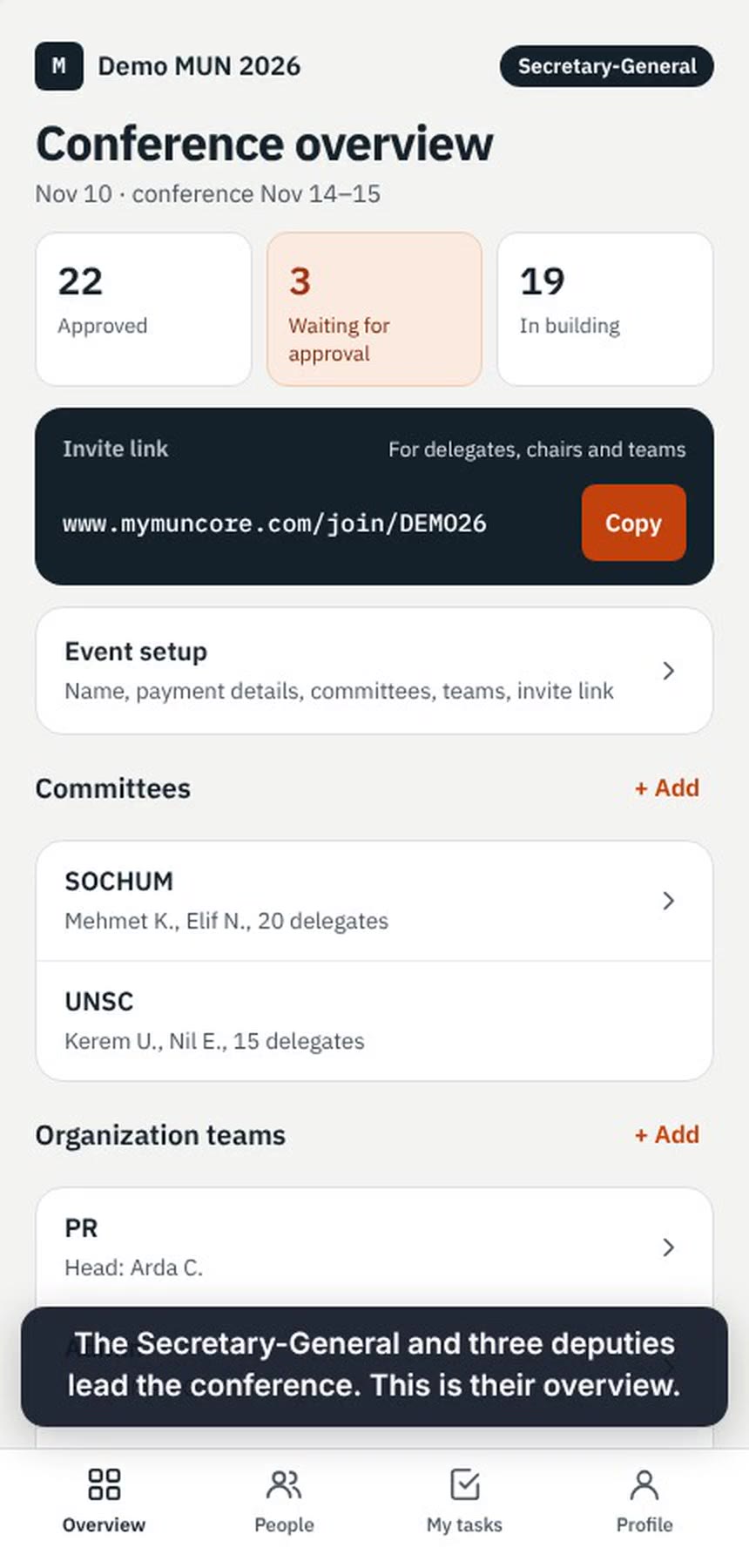
Join requests are accepted first. Only then do payment details appear, with a personal code that matches the transfer even when a parent pays. Only “approved” is saved.
For MUN organizing teams
Who is accepted and has paid, who does which task, which position papers are reviewed, and what each committee needs on conference day.
Clickable demo with sample data. No account needed.
The problem
Existing tools focus on the committee session or on finding conferences. None of them manages how the organizing team works together.
How MUNCore helps
MUNCore does only the organizing side. The committee session itself stays in the tools your club already uses.
Join requests are accepted first. Only then do payment details appear, with a personal code that matches the transfer even when a parent pays. Only “approved” is saved.
Only the team head assigns tasks. Each member sees exactly what is theirs and marks it submitted.
Chairs send feedback the delegate will see, and keep a private note for the chairs that never reaches the delegate’s screen.
A committee asks for water in room 3; the team sees it within seconds, assigns it and marks it done. Unclear requests wait in an open pool until a team head claims them.
Security records each entry by the same personal code. Only the organization heads see who is in the building.
Roles
Everyone joins the same event with one invite link. The organizers decide who does what.
Demo videos
Four short screen recordings on a phone, about a minute each, with sample data.
Most users are under 18, so MUNCore stores only an email, a display name and, for delegates, the country they represent. No phone, address, birthday, photo, school name or financial data, and no analytics or tracking. In this demo the rules are enforced on screen only; hiding something on screen is not security. In the full version, the database enforces who sees what.
About
I’m a high school student and a Model United Nations organizer in my school’s MUN club. When we organize a conference, the work is scattered across WhatsApp groups, Drive folders and conversations in the hallway, and things get lost between them.
I designed MUNCore to bring that work into one place. I decided what it must do, who sees what and what it leaves out. I built it with AI-assisted development using Anthropic’s Claude, and I tested it myself.
Right now you can try MUNCore as a clickable demo with sample data, and accounts for real conferences are on the way.
Zeynep
Contact
Write to hello@mymuncore.com